# Consumable
## Overview
Consumables are resources you typically use once, such as water, sandbags or even stationery and office supplies. They include units and rates.
You can [find](#finding-consumables), [add](#adding-consumables) and [edit](#settings) Consumables via the Resources register.
Examples of Consumables
* Batteries
* Cleaning Supplies
* Coal
* Data storage
* Diesel
* Energy/Electricity
* Financial Resources
* Fuel
* General Supplies
* Hygiene Products
* Office Supplies
* Personal Care Products
* Personal Protective Equipment (PPE) such as disposable gloves, masks etc
* Sandbags
* Spare Parts
* Stationery
* Water
For register-level instructions, refer to:
{% content-ref url="" %}
[](https://docs.cw.crisisworks.com/modules/operations/resources)
{% endcontent-ref %}
## Finding Consumables
The ways to find Consumables:
1. Type column in the datagrid (Consumable)
2. Types > Consumable in the filter menu
3. Query in Search `itemSchemaName:consumable`
## Adding Consumables
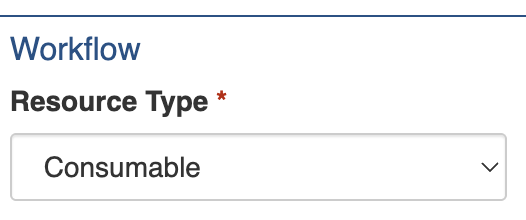
Consumables are created in **Operations → Resources** by setting the [Resource Type](https://docs.cw.crisisworks.com/modules/operations/resources/..#resource-type) to *Consumable* when adding a [new Resource](https://docs.cw.crisisworks.com/modules/operations/resources/..#adding-resources).
Make sure the Resource Type is set to Consumable.
## Settings
### Resource Particulars
Refer to: [Resource Particulars](https://docs.cw.crisisworks.com/modules/operations/resources/..#resource-settings)
The Resource Particulars section defines the general settings for the Consumable resource type.
It contains many shared fields. It also has settings that differ from other types, including **Title**, **Category**, **Sub-Categories**, and **Details**.
### Consumable Particulars
The following sections explain how to use the Consumable-specific settings. These are similar to other resource types. You set a Unit Name, Unit Rate, Unit Prefix, and Unit Suffix.
#### Unit Name
Refer to: [Resources Units](https://docs.cw.crisisworks.com/modules/operations/resources/..#units)
Some examples for Consumables include:
* 'Each' is a general type of unit
* 'Box' for consumables that come in boxes
* 'Set' for general sets of items
* 'Ream' for printer paper
* etc.
### Location
A Location section is shown, but it is not currently available for use with Consumables.