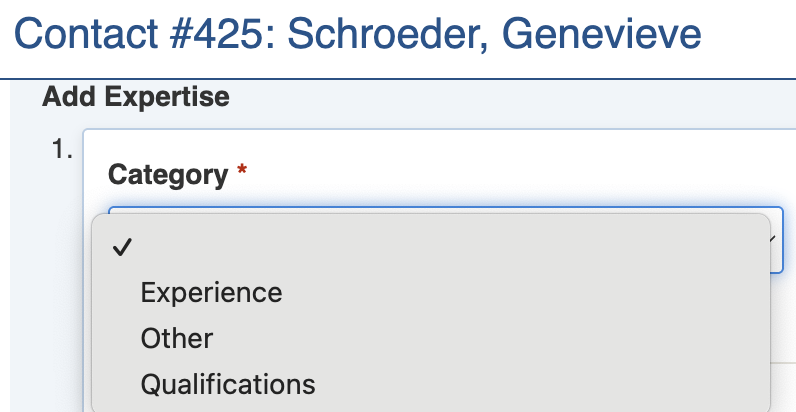
Expertise Category
| Security Policy | Access to registers | Use |
|---|---|---|
Expertise Core - Change Status Basic Access | Expertise Contacts | Basic access to change the Status of Expertise items. Requires a Write policy to be selected. |
Expertise Core - Create | Expertise Contacts | Can create a new Expertise items. |
Expertise Core - Read Only Full | Expertise Contacts | Read Only access to all Expertise items. |
Expertise Core - Read Write Full | Expertise Contacts | Read read & write full access to Expertise items. |
Expertise Core - Read Write Own | Expertise Contacts | Read Write own Expertise items |
Expertise Optional - Bypass state machine. | Expertise Contacts | Bypass Expertise workflow. Requires a Write policy to be selected. |
Expertise Optional - Change special readonly (immutable) | Expertise Contacts | Can change fields that have been configured to be read only (immutable) once set. Requires a Write policy to be selected. |
| Expertise Optional - Change Status Full Access | Expertise Contacts | Can change the Status of Expertise Items. Full Access for register. Requires a Write policy to be selected. |
| Expertise Optional - Item Bulk Create Access | Expertise Contacts | Can access Bulk Actions Bulk Create for Expertise items. Requires the Create policy to be selected. |
Expertise Optional - Item Bulk Edit Access | Expertise Contacts | Can access Bulk Actions Bulk Edit function for Expertise items. Requires a Write policy to be selected. |
Expertise Optional - Item Change Event | Expertise Contacts | Can change the Event for Expertise items. Requires a Write policy to be selected. |
Expertise Optional - Item Import | Expertise Contacts | Can access Import to import Expertise items. Requires a Write policy to be selected. |
| Expertise Optional - Merge Items | Expertise Contacts | Can access the Bulk Actions Merge Expertise Items. Requires the Create policy to be selected. |
Expertise Optional - Report Access | Expertise Contacts | Can access Expertise reports |
Expertise Category
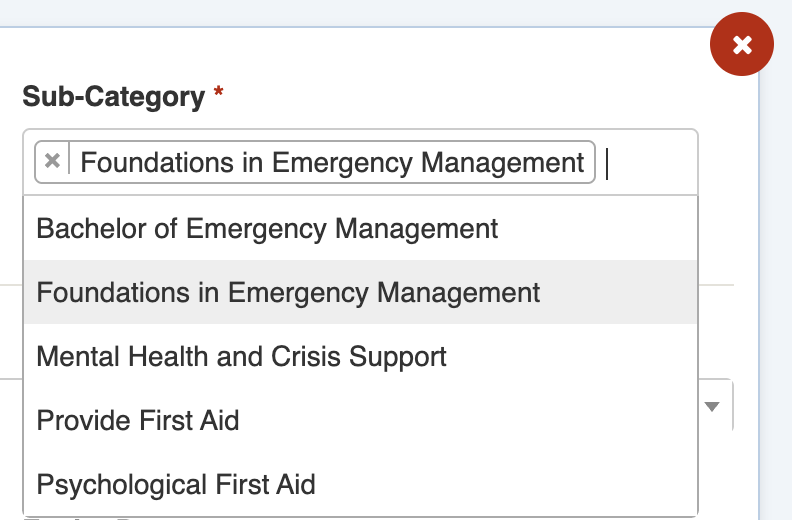
Sub-Category selection
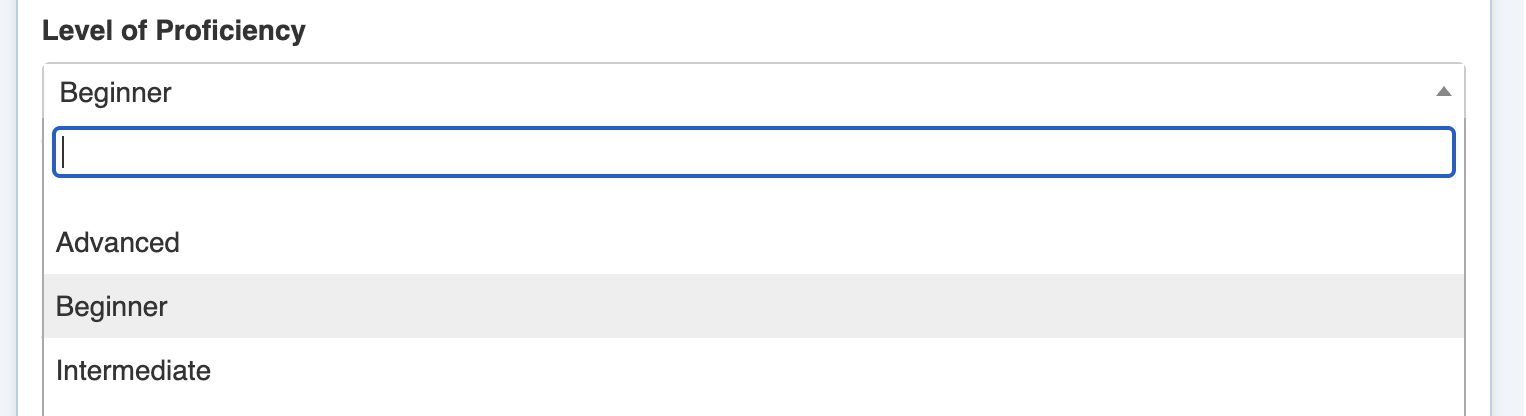
Level of Proficiency setting

Completed Date and Expiry Date settings

 or, if there are existing Expertise items use the Add Another button
  .
2. To add multiple use the Add Another button .
3. Set the **Category** using the pull-down list. This is required at minimum.
4. Set the **Sub-Category** using the search field. If the Category is Other, you'll be asked to enter a Category as text.
5. Complete each section of the [Expertise Settings](#expertise-settings) as required. You can remove an existing Expertise sub-item using the red cross icon on the top right.
6. Repeat steps 2-5 for as many Expertise as you want to add
7. Save
.
2. To add multiple use the Add Another button .
3. Set the **Category** using the pull-down list. This is required at minimum.
4. Set the **Sub-Category** using the search field. If the Category is Other, you'll be asked to enter a Category as text.
5. Complete each section of the [Expertise Settings](#expertise-settings) as required. You can remove an existing Expertise sub-item using the red cross icon on the top right.
6. Repeat steps 2-5 for as many Expertise as you want to add
7. Save  ## Importing Expertise
{% content-ref url="../../../system-administration/configuring-the-system/imports" %}
[imports](https://docs.cw.crisisworks.com/system-administration/configuring-the-system/imports)
{% endcontent-ref %}
You can import Expertise in bulk via the Import system using the [Expertise Import](https://docs.cw.crisisworks.com/system-administration/configuring-the-system/imports/register-items/expertise-import). Note that this import requires you to link each Expertise item to a Contact.
{% hint style="info" %}
You can only access to this option if your position has the *Expertise Optional - Item Import* [security policy](#security-policies). Contact your administrator if you don't have this permission.
{% endhint %}
## Reports
{% content-ref url="../../../system-administration/reporting/running-reports" %}
[running-reports](https://docs.cw.crisisworks.com/system-administration/reporting/running-reports)
{% endcontent-ref %}
The *Expertise Report* is available under [Operations Reports](https://docs.cw.crisisworks.com/modules/reports/operations-reports).
{% hint style="info" %}
You can only access to this option if your position has the *Expertise Optional - Report Access* [security policy](#security-policies). Contact your administrator if you don't have this permission.
{% endhint %}
## Importing Expertise
{% content-ref url="../../../system-administration/configuring-the-system/imports" %}
[imports](https://docs.cw.crisisworks.com/system-administration/configuring-the-system/imports)
{% endcontent-ref %}
You can import Expertise in bulk via the Import system using the [Expertise Import](https://docs.cw.crisisworks.com/system-administration/configuring-the-system/imports/register-items/expertise-import). Note that this import requires you to link each Expertise item to a Contact.
{% hint style="info" %}
You can only access to this option if your position has the *Expertise Optional - Item Import* [security policy](#security-policies). Contact your administrator if you don't have this permission.
{% endhint %}
## Reports
{% content-ref url="../../../system-administration/reporting/running-reports" %}
[running-reports](https://docs.cw.crisisworks.com/system-administration/reporting/running-reports)
{% endcontent-ref %}
The *Expertise Report* is available under [Operations Reports](https://docs.cw.crisisworks.com/modules/reports/operations-reports).
{% hint style="info" %}
You can only access to this option if your position has the *Expertise Optional - Report Access* [security policy](#security-policies). Contact your administrator if you don't have this permission.
{% endhint %}