# Route

## Overview <a href="#overview" id="overview"></a>

Routes show a course taken from a starting point to a destination.

Most commonly, they are used by field users can track where they've been using GPS while working with the [mobile app](https://docs.cw.crisisworks.com/concepts-and-fundamentals/mobile-app).

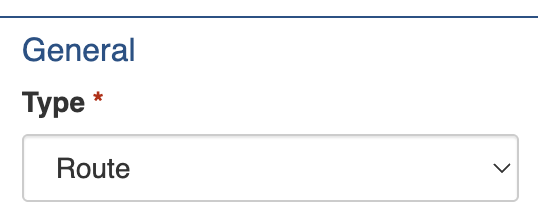
To configure an Route item, you must add or edit an Information item via the Information register and select the *Route* [Type](#type). This is done automatically when performed in the mobile app.

<figure><img src="https://3923904090-files.gitbook.io/~/files/v0/b/gitbook-x-prod.appspot.com/o/spaces%2FNy7IznbrPLUq6GJDDQDk%2Fuploads%2FKJ7TqDu9agYSDZijcrIc%2Fimage.png?alt=media&#x26;token=d53e3486-057f-4924-8d7f-65887efaaa6d" alt="" width="269"><figcaption><p>Unlock the Route settings by setting the Information's Type under General</p></figcaption></figure>

Refer to the register guide for further instructions:

{% content-ref url="information" %}
[information](https://docs.cw.crisisworks.com/modules/operations/information/information)
{% endcontent-ref %}

## Settings <a href="#settings" id="settings"></a>

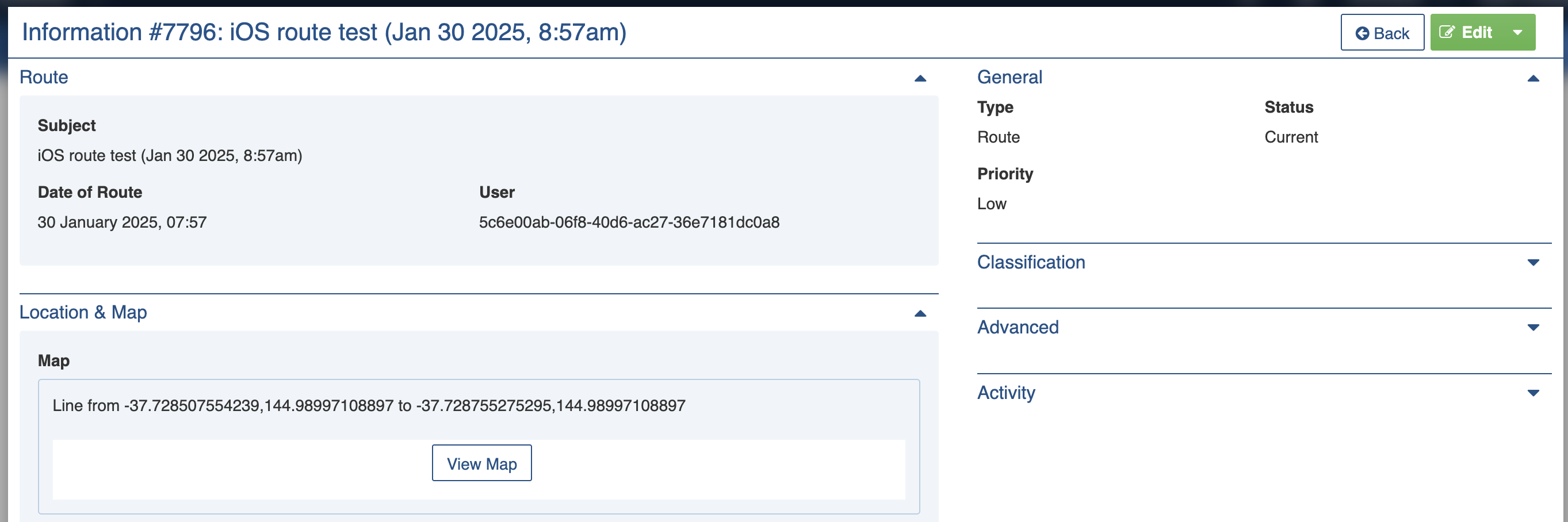
Route items must include a **Subject**. This is used to identify it in lists and to give others a summary of what it is about. This is done through the mobile app when track my route is saved.&#x20;

Field users can track their routes while working with the [mobile app](https://docs.cw.crisisworks.com/concepts-and-fundamentals/mobile-app). Pins are dropped automatically as the user moves to store the path they took. Routes are uploaded as this information type automatically when the user opts to save it and synchronises from their device.

Additionally, the **Date of Route** stores the date that it was saved and the **User** field stores the ID of the user who recorded it. For auditing purposes these fields cannot be edited. This also enables mobile recorded routes to be differentiated as in manually recorded routes these fields will be blank.

The route itself is stored in the [Location & Map](#location-and-map) section.

<figure><img src="https://3923904090-files.gitbook.io/~/files/v0/b/gitbook-x-prod.appspot.com/o/spaces%2FNy7IznbrPLUq6GJDDQDk%2Fuploads%2FBLmCo0GrnAytixGGxGuv%2Fimage.png?alt=media&#x26;token=7d3e9cc9-f7ba-4410-bab8-d90314be5752" alt="" width="563"><figcaption><p>View of a Route recorded on an Apple iOS device (iPad or iPhone)</p></figcaption></figure>

<figure><img src="https://3923904090-files.gitbook.io/~/files/v0/b/gitbook-x-prod.appspot.com/o/spaces%2FNy7IznbrPLUq6GJDDQDk%2Fuploads%2Fe3WBnr0sXCXMIv7TTfuu%2Fimage.png?alt=media&#x26;token=1da0acc7-8e0d-44a6-bf8f-5ecb9db7bb34" alt="" width="375"><figcaption><p>View Map showing an example of a recorded route</p></figcaption></figure>